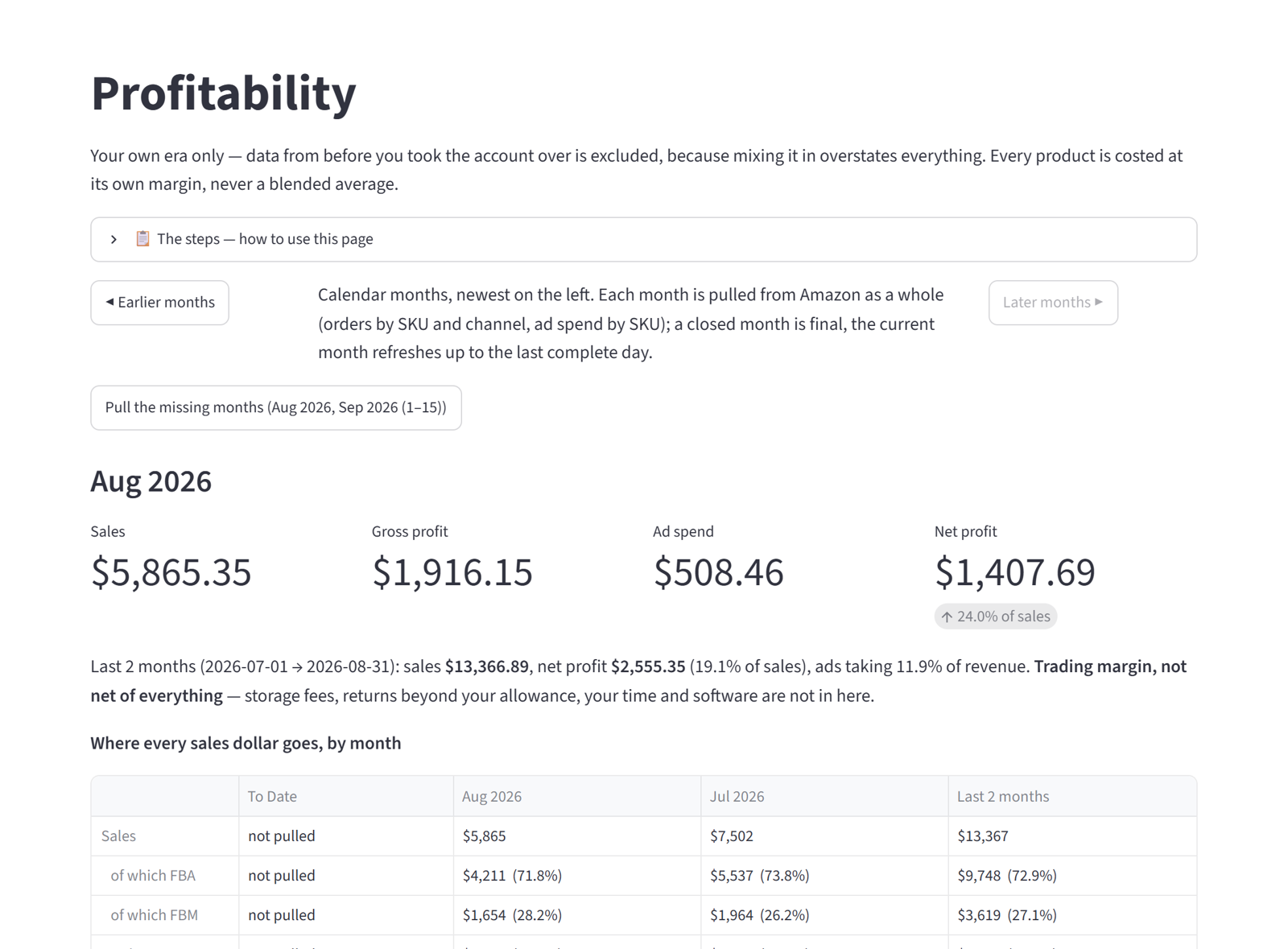
Your ads, judged from your own numbers. Nothing changes until you say so.
PPC Command Center reads your Amazon reports, works out what is wasting money and what deserves more, and hands you a short list ranked by dollars at stake. Every change waits for your approval.
No call to book. No seat in your Seller Central. The free audit works from one report file you export yourself: sign in with your email, name your store, upload it. The Direct Plan, where the app applies what you approve, opens to every seller once Amazon approves our public app listing.
The feature list. No adjectives.
| Feature | Free Auditone report file, one batch, yours to read forever | Upload Planyou upload your reports each month and make the changes yourself | Direct Planconnects through Amazon's API. No seat, no invite Coming soon |
|---|---|---|---|
| Ads | |||
| A ranked to-do list, by dollars at stake | ✓ | ✓ | ✓ |
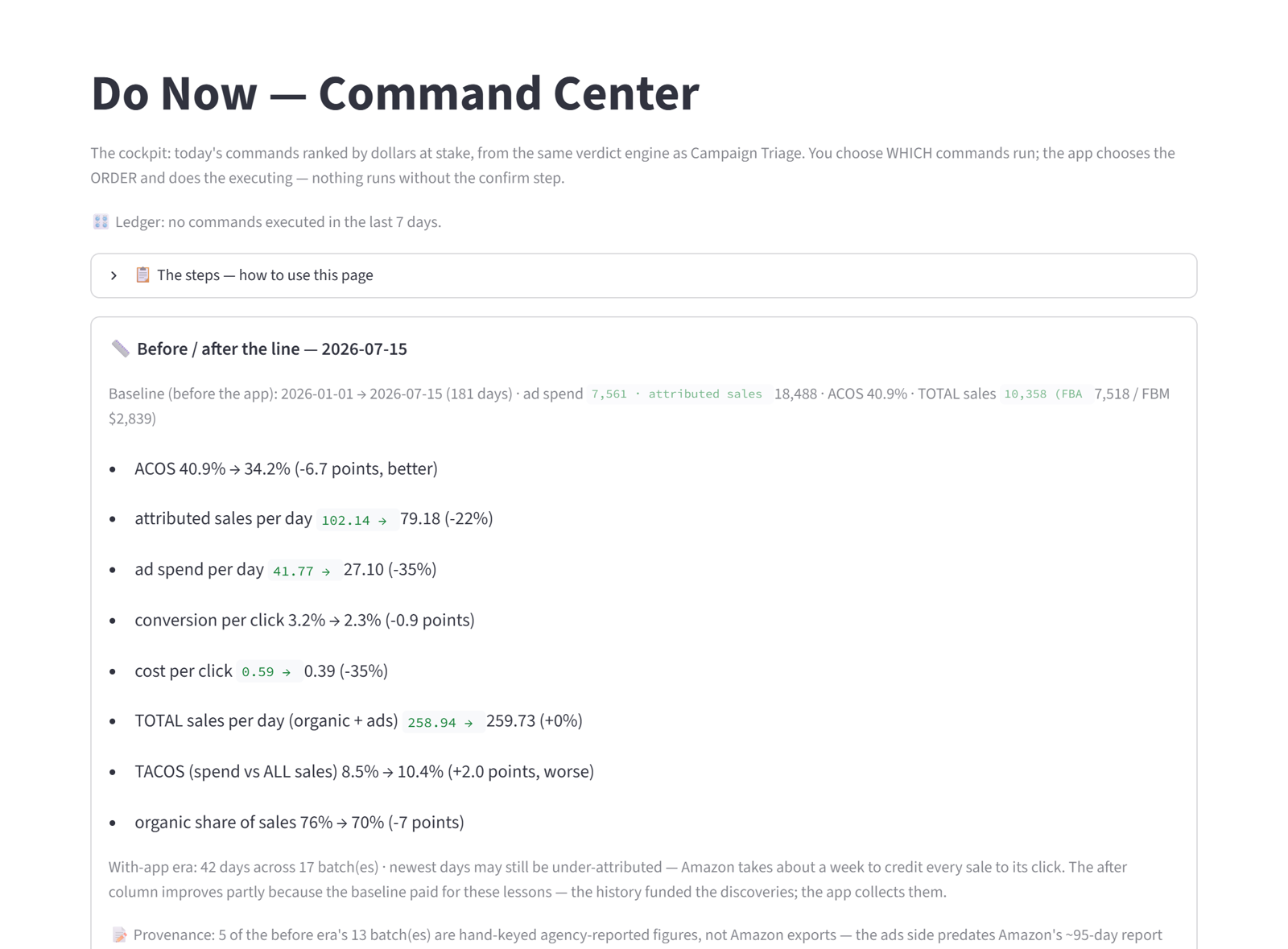
| Wasted spend, down to the search term | ✓ | ✓ | ✓ |
| Pause, keep or protect: a verdict on every campaign and keyword | ✓ | ✓ | ✓ |
| Winning search terms promoted to exact match | ✓ | ✓ | ✓ |
| Negative keywords found and queued | ✓ | ✓ | ✓ |
| A guided funnel: low-bid discovery campaigns, launch, seed keywords, build plan | – | ✓ | ✓ |
| A log of every change: who, what, when | – | ✓ | ✓ |
| Approved changes applied to Amazon for you | – | – | ✓ |
| Profit | |||
| Net profit by calendar month, after ads and fees | – | – | ✓ |
| Every product costed at its own margin | – | ✓ | ✓ |
| FBA and FBM sales split | – | ✓ | ✓ |
| Where each sales dollar goes | – | ✓ | ✓ |
| Account trend over time: sales, spend, ad cost of sales | – | ✓ | ✓ |
| Health check per product: sales, conversion, ad cost | ✓ | ✓ | ✓ |
| Money Amazon owes you: shipments that closed short, units lost or damaged in Amazon's warehouses and refunds never returned, checked against reimbursements every night and shown green, yellow or red against the claim window | – | – | ✓ |
| What Amazon pays per unit it loses: your product costs put into Amazon's own manufacturing-cost file, so a claim pays your cost instead of Amazon's estimate; names every product still paid below cost | – | ✓ | ✓ |
| Listings | |||
| Your clicks, carts and purchases against the market, on the same searches | – | – | ✓ |
| Which listings lose on demand and which lose on share | – | – | ✓ |
| Main-image tests ranked by what is costing you clicks | – | – | ✓ |
| Title rule check on every listing | – | – | ✓ |
| Missing attributes and Amazon's own listing errors | – | – | ✓ |
| Listing editor with before-and-after verification | – | – | ✓ |
| Return rate and return reasons per product | – | – | ✓ |
| Inventory | |||
| Restock timing per product | – | ✓ | ✓ |
| Which FBM products have earned a move to FBA | – | – | ✓ |
| No ad launch on a product with zero stock | – | – | ✓ |
| In stock with no ads running: flagged the same night | – | – | ✓ |
| Inbound shipments and damaged units at Amazon | – | – | ✓ |
| Buy Box share watched per product | – | – | ✓ |
| Seasonality and deal-day calendar built from your own sales | – | – | ✓ |
| How it runs | |||
| Your Amazon reports pulled at 3:00 AM, every night | – | – | ✓ |
| No verdict on thin data: volume gates and a trailing 14-day window | – | ✓ | ✓ |
| Every number carries its report and date range | ✓ | ✓ | ✓ |
| An inbox that flags what changed overnight, and goes quiet when told | – | – | ✓ |
| Accounts and privacy | |||
| Nothing changes on Amazon without your confirm | ✓ | ✓ | ✓ |
| Your account in its own store, never pooled | ✓ | ✓ | ✓ |
| Every time support opens your account, it is logged and shown to you | ✓ | ✓ | ✓ |
| Delete all your data yourself, with written confirmation | ✓ | ✓ | ✓ |
| The product roster the app found, so you know which plan fits | ✓ | ✓ | ✓ |
The Free Audit needs no Amazon connection, no seat in your Seller Central and no call. The Upload Plan needs none of those either: you upload your reports each month, the app keeps every batch, and you make the changes in Seller Central yourself. It is the plan every seller starts on until the Direct Plan opens, and your data carries over. The Direct Plan connects through Amazon's API: you approve it once on Amazon's own authorization screen, with no user seat, no invite and no reports to switch on, and you can disconnect from Seller Central at any time. It opens to every seller once Amazon approves our public app listing. See pricing.
One quiet routine, every night Direct Plan only
This needs the Direct Plan. You approve the connection once, on Amazon's own authorization screen. We never take a user seat or an invite into your Seller Central, and there are no reports for you to switch on. It opens once Amazon approves our public app listing. On uploads the same judgment runs the moment your report files land, and the list is waiting when you open the app.
- 3:00 AMThe app pulls your ad reports, Sales & Traffic, FBA stock, and every order, through the newest day Amazon has finalized. Batches tile with no gaps and no overlaps.
- 3:10 AMEvery campaign, keyword and product is judged on a trailing window of evidence, never on last night alone, and never on too little data to say anything honest.
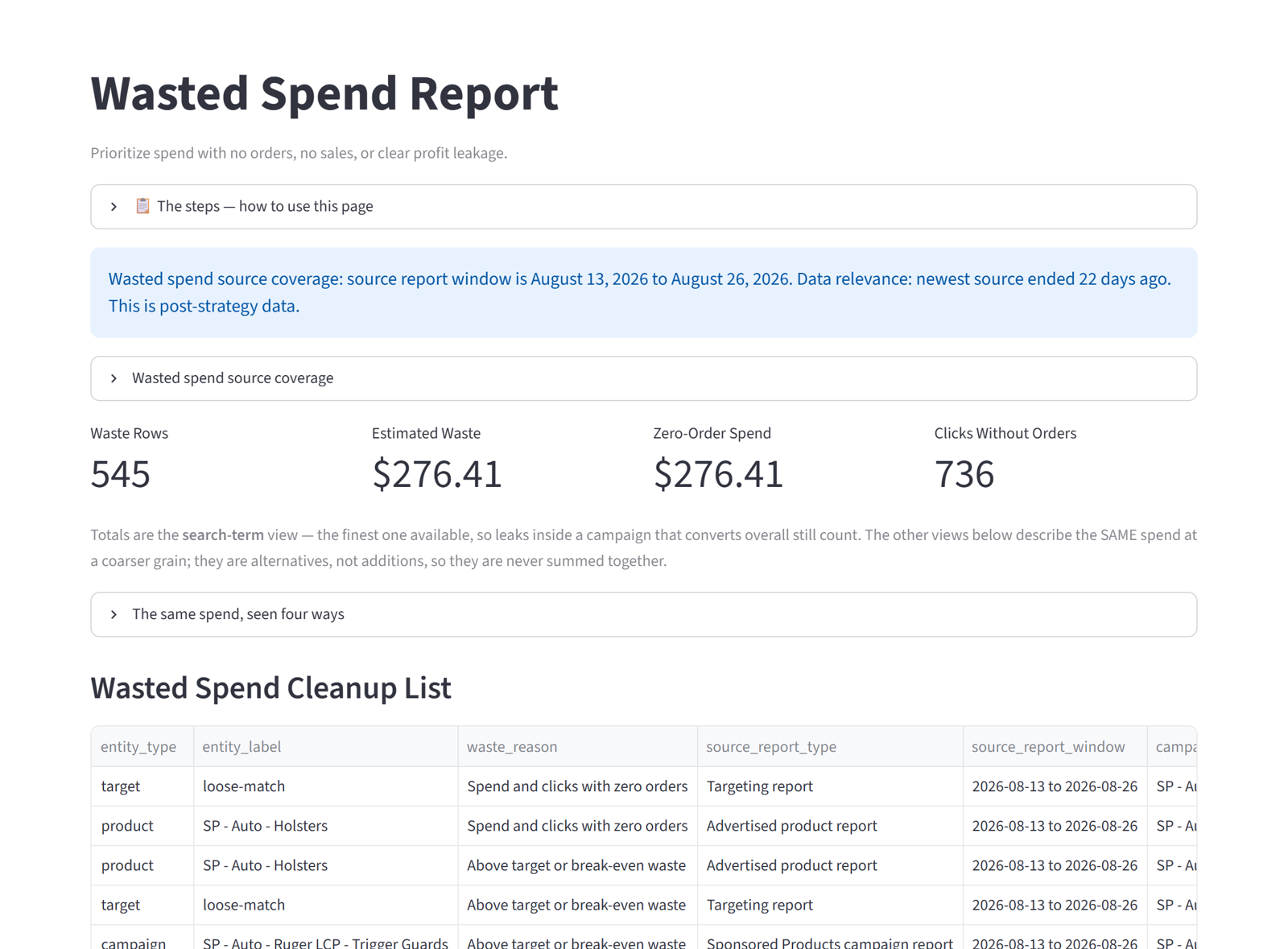
- MorningYou open Do Now. The list is short, ranked by dollars at stake, and each line says why. Tick what you agree with, confirm, done.
- Any timeProfitability by month, wasted spend by search term, listings against the market, restock timing. All from the same data, all in your own numbers.
Built so you do not have to take our word for it
Nothing changes without your approval
The app advises. It does not spend budget, pause campaigns or edit listings on its own.
How it is kept: every live change sits behind a confirm step, and every applied change is logged with who, what and when.
No verdict on thin data
A campaign that is new is protected as learning. A keyword with three clicks is not called a loser.
How it is kept: volume gates and a trailing evidence window are part of the engine, not a setting you can forget.
Your data stays yours
Each account lives in its own store. It is never pooled, never shown to another account, and you can delete all of it yourself.
How it is kept: one folder per account, a delete door on your own settings page, and a written confirmation when it is gone.
What you will not find here
- No "book a call" and no email to write before you see anything. The free audit runs on one file you export yourself.
- No employee seat or partner invite into your Seller Central. Uploads for data in, the API only if you connect it, and only for what you approve.
- No invented claims. Titles and images are drafted from what your listing already says and what your own search terms prove.
- No case study without a method. Every number the app shows you comes with the report and the date range it came from.
- Decisions, not dashboards. A ranked list with a reason on every line.
- Measured against the market on the same searches, so a better image or title shows up as a real lift, not a guess. Direct Plan only
- A memory of what was done to every keyword, so the same mistake is not proposed twice.
- Plain sentences. If a line on a page would not make sense to you on your first day, it is a bug.
Sellers and agencies work differently. The app knows.
Sellers follow one guided funnel from fresh data to a build plan, then live on Do Now. See the seller walkthrough.
Agencies keep working the way they already do: export from the client's Seller Central, upload, one login for every client account. We never ask for a client's name. See how agencies use it.