One funnel, walked in order. Then a short list every morning.
You do not need to know PPC. The app asks for what it needs, shows you what is already running, fixes what is bleeding, and builds what is missing. Every step waits for you.
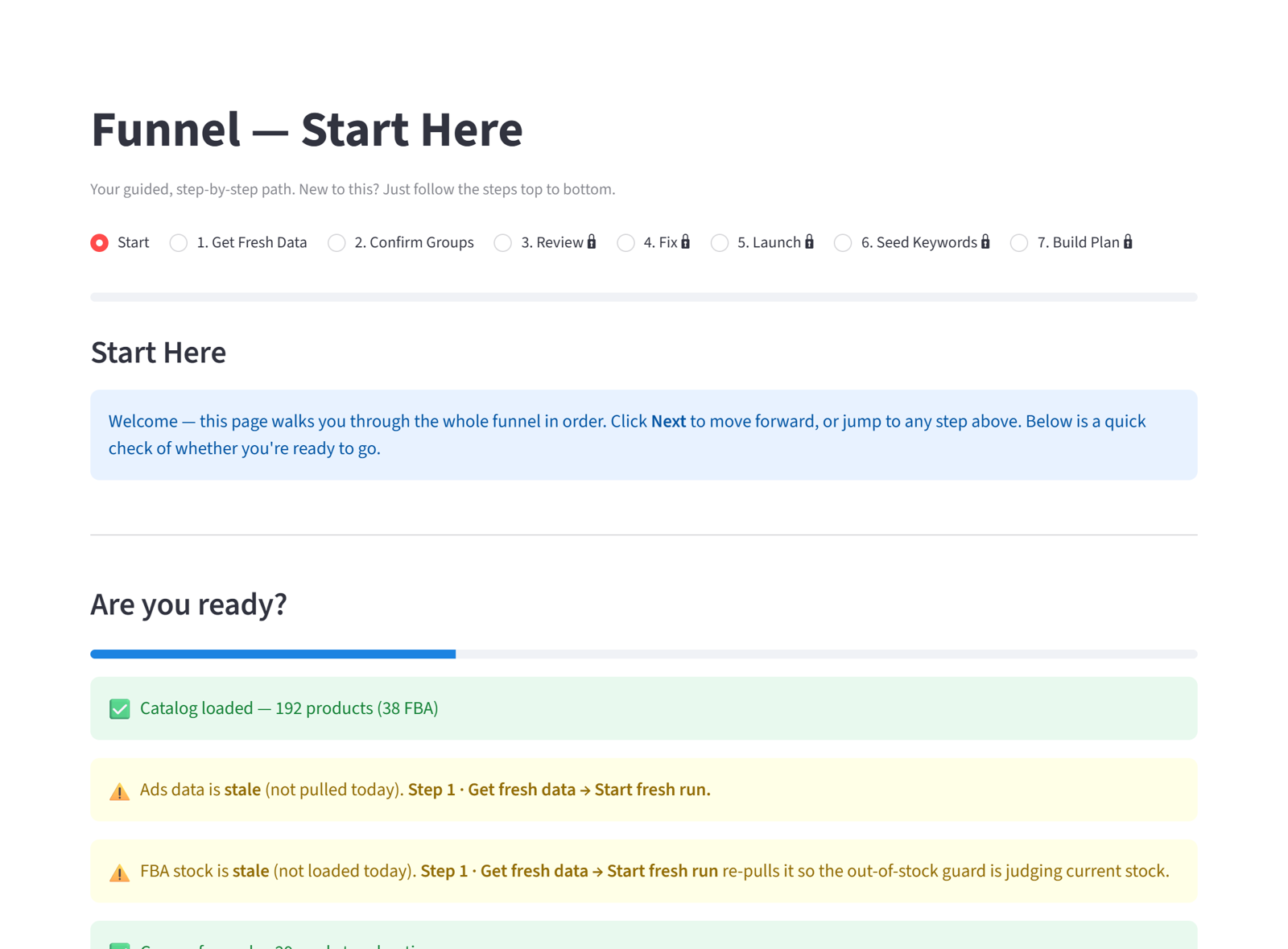
Seven steps, top to bottom
- Get fresh data. On a connected account the app pulls everything itself every night. On an upload account you drop the report files and each line turns green as it lands.
- Confirm your product groups. Tell the app which products belong together, for example every holster that fits one gun model. Grouping is what stops your own products from bidding against each other.
- See what is already running. A read-only look at every group: which products are advertised, which are dark. Nothing changes here.
- Fix self-competition and bleeders. Campaigns chasing the same products, and campaigns that spend with no orders past their learning window. Each pause needs your tick and a confirm.
- Launch what is missing. One discovery campaign per group at a bid the numbers support, held back if the product is out of stock.
- Seed keywords. Exact-match campaigns from the searches that already convert for you, with the words your title can honestly back.
- The build plan. What to build, at what bid, and why, on one page you can act on or hand to someone else.
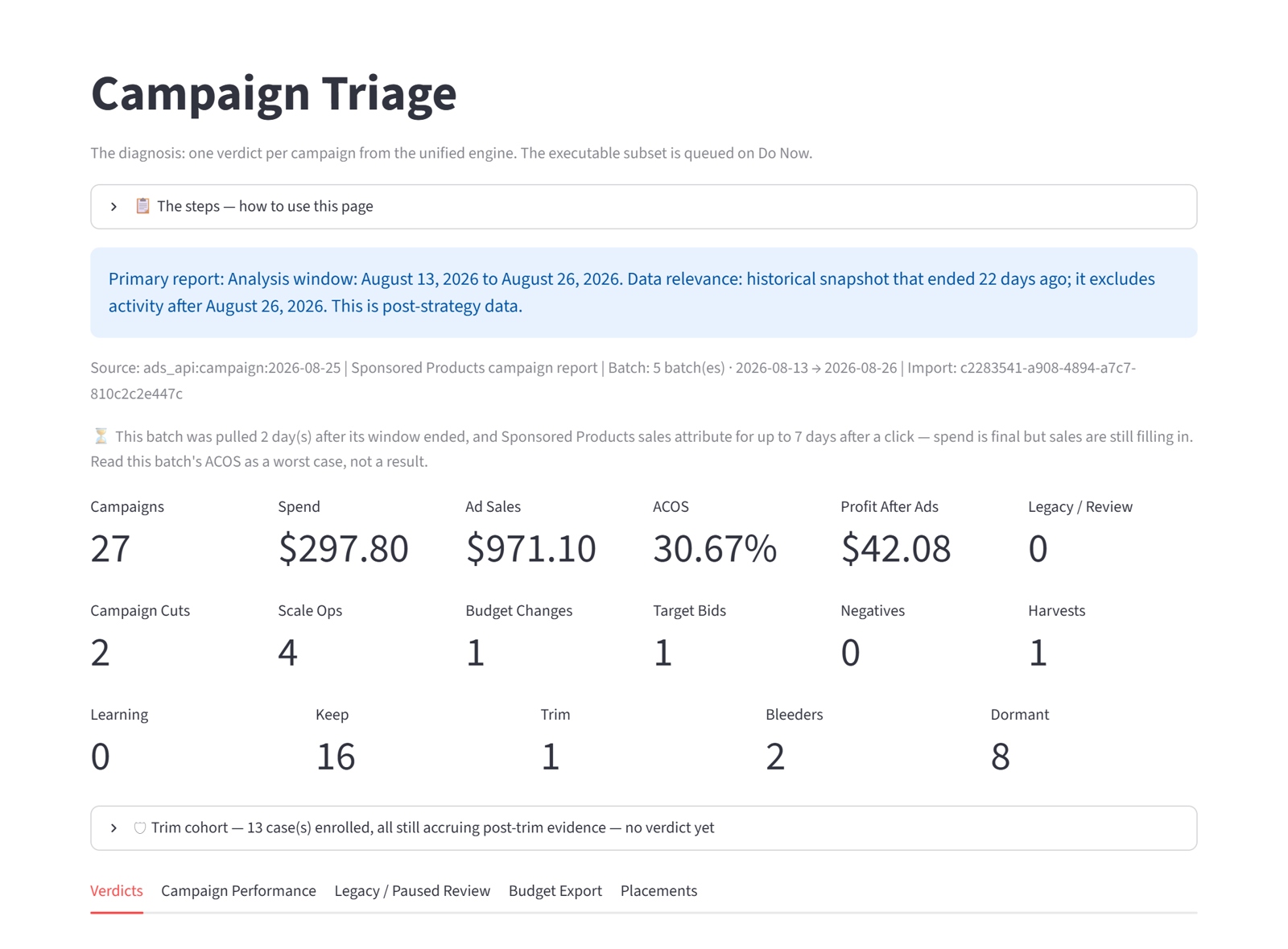
Do Now is where you live
Each morning the app ranks what is worth doing by the dollars at stake: a bid to lower, a search term to negate, a converting search to promote into its own campaign, a budget to trim. Each line carries its reason and its numbers.
You tick the ones you agree with. On a connected account the app applies them after you confirm. On an upload account it gives you the exact change to make in Campaign Manager.
What was done is remembered. A change the app made last week is not proposed again this week, and a change you declined stays declined until the evidence moves.
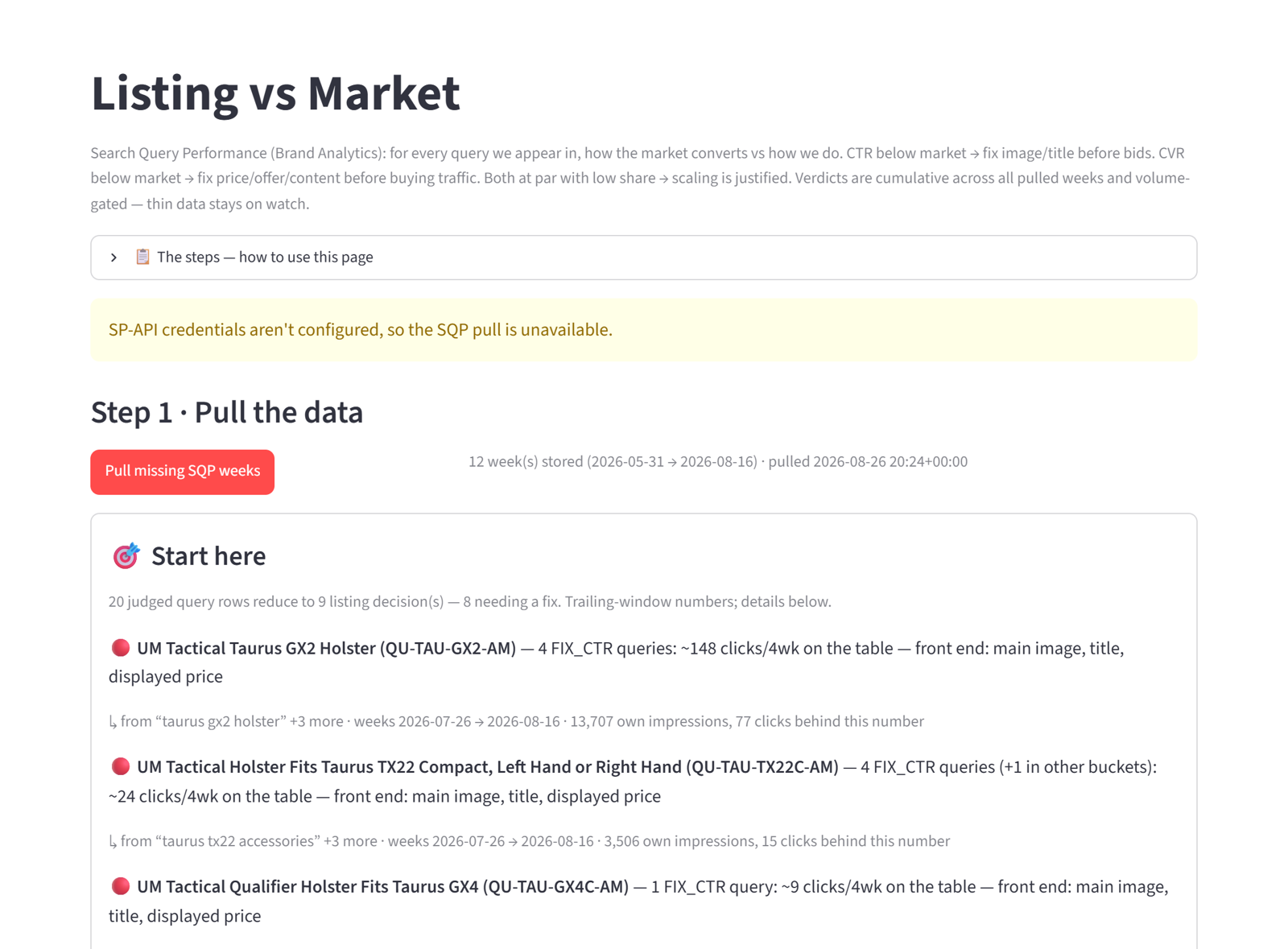
Why a better picture can beat a bigger budget
Say 100,000 shoppers see your product this month. At a 1% click rate that is 1,000 visitors. Double the click rate and you have 2,000 visitors without buying one more impression. Lift how many of them buy, and the gains multiply.
The app measures your click rate and conversion against the market on the very same searches, so you know whether the leak is the click or the cart before you spend a dollar on either.
Upload your reports, or connect your account
Agency Account
You upload your reports each month. The app reads them and tells you what to do. You make the changes in Seller Central yourself. The plan every seller starts on until connections open.
No Amazon connection. Nothing on our side can reach your account.
Seller Account Coming soon
You connect your Amazon account once. The app pulls fresh data every night, and you apply its recommendations with one click, each one confirmed by you first.
Every change is logged. You can disconnect at any time from your own Seller Central. Opens to every seller once Amazon approves our public app listing; start on an Agency Account and your data carries over.